
Can Bright SDK be implemented in Steam apps
Can Bright SDK be implemented in Steam apps
Yes! Bright SDK Windows version can be easily implemented in any Steam games.To do that, please follow the detailed integration guide we created here: https://docs.google.com/document/d/1CO8KPNW_gD-FNvNT0X8cOXFMXUfwjGpcp021kXOG7ew/edit?tab=t.0Don’t hesitate to reach out to our partnership managers with any question.
Am I being paid only when my Windows app is in use?
Am I being paid only when my Windows app is in use?
Great news! Once your user has opted-in you start earning even if your app isn’t necessarily in use. See this article for more details.This information is available to you in real time on the developer dashboard.
Does Bright SDK comply with Anti Virus guidelines?
Does Bright SDK comply with Anti Virus guidelines?
Yes. Bright SDK has been developed under the strictest security guidelines and is constantly monitored accordingly. It has been certified by AppEsteem, trusted by major anti virus companies. This certification is also granted to all of our Windows partners, as part of our service and with no extra charge.
Click for a detailed view of the SDK compliance with security industry standards by leading organizations.
Click for a detailed view of the SDK compliance with security industry standards by leading organizations.
Which Windows versions are supported?
Which Windows versions are supported?
Bright SDK support all Windows 7 and up.
Can I see some examples of real Windows apps implementation?
Can I see some examples of real Windows apps implementation?
Sure! Please see them here:
My dashboard shows 0 active devices even though users opted in. Why?
My dashboard shows 0 active devices even though users opted in. Why?
The app needs to pass the self-check and Bright Data review before devices start counting. Also check that the app status is set to “Active/Approved” in the dashboard.
How to obtain BrightSDK API Key?
How to obtain BrightSDK API Key?
The BrightSDK tools authenticate with the releases API using an API key. Follow these steps to create one.
- Open API Keys
Log in to the BrightSDK Control Panel - this links directly to the API keys section.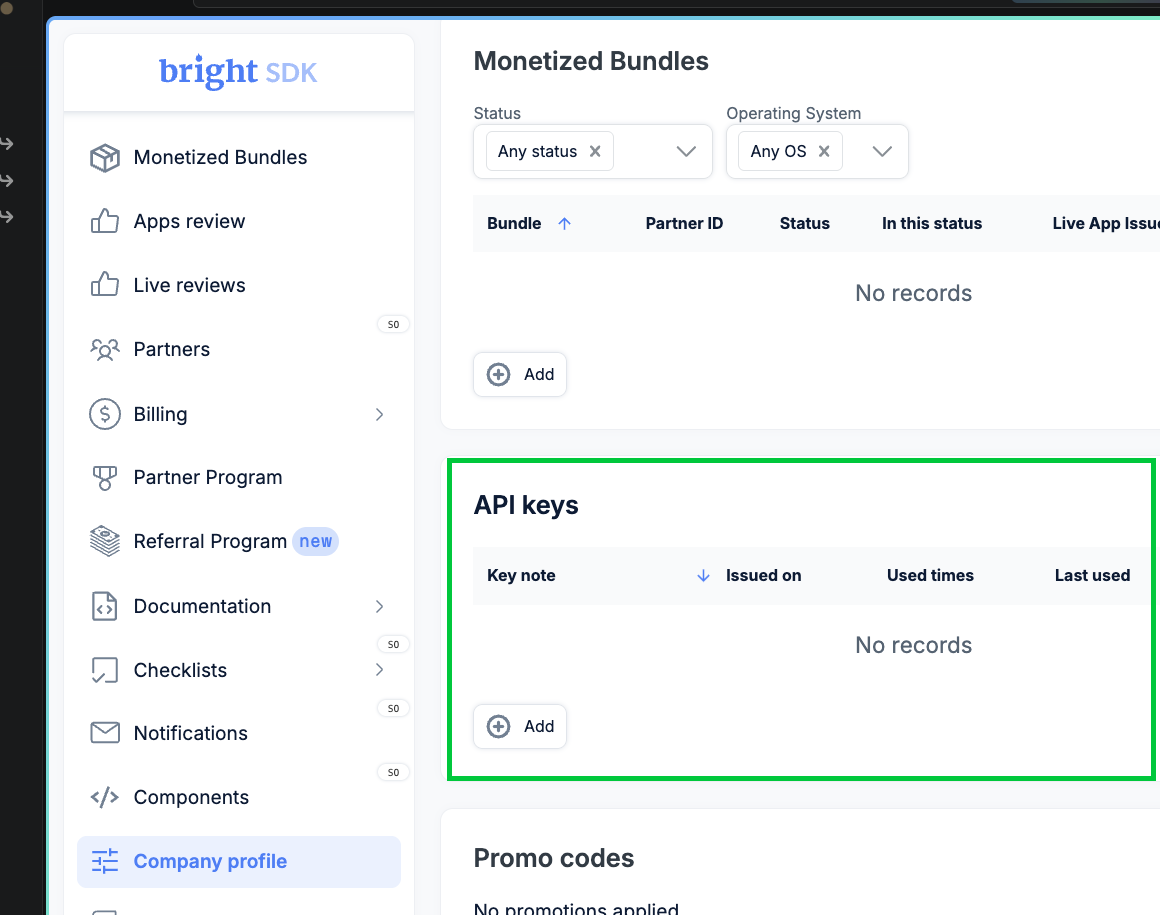
- Create a new key
Click + Add. Choose an expiration (e.g. One year), give the key a descriptive name, then click Generate key.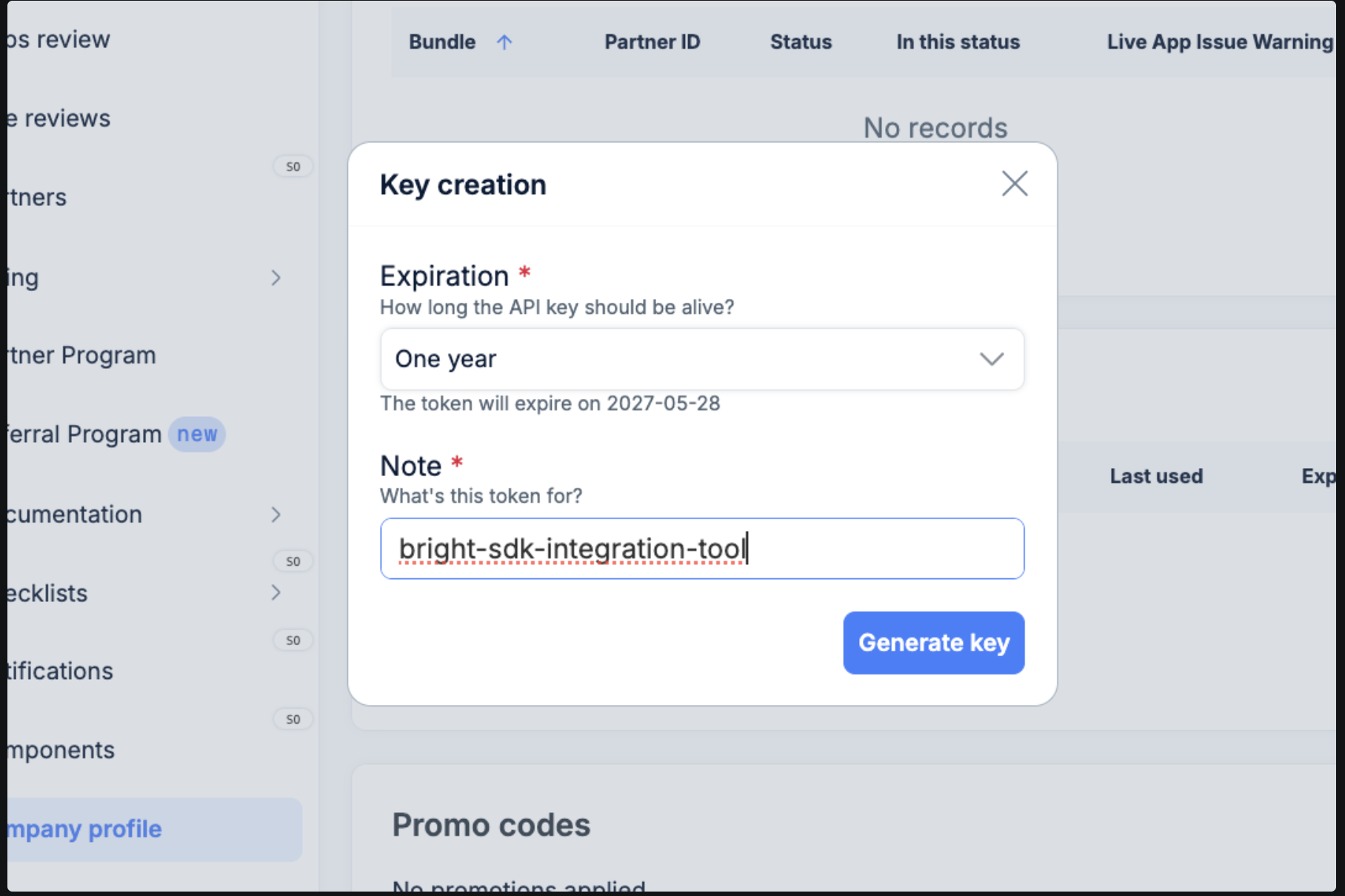
- Copy your key
The generated key is shown once only - copy it immediately.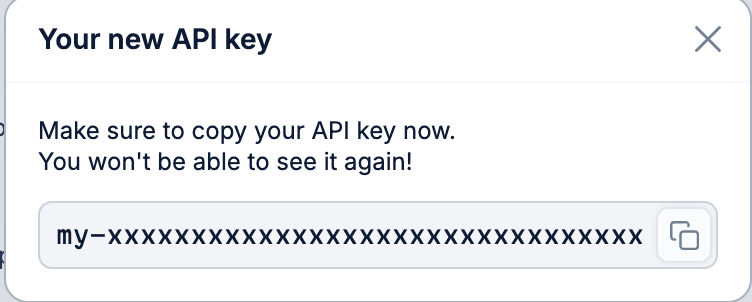
- Set the environment variable macOS / Linux - export in your shell:
To persist across sessions:Windows (PowerShell) - set for the current session:To persist for your user (survives reboots):Windows (CMD) - set for the current session:To persist for your user (survives reboots):