
Why is the number of active devices on WebOS apps lower than the number of opt-ins?
Why is the number of active devices on WebOS apps lower than the number of opt-ins?
How does Bright SDK impact my answers to the LG privacy questionnaire?
How does Bright SDK impact my answers to the LG privacy questionnaire?
- Privacy Policy → fill in your privacy policy link
- Device ID→ Analytics
- Other Identifier → Analytics
- Select the country with saved data → U.S.A
- Shared Data: Device ID & Other Identifier
- Privacy Policy

- Data collected within the app → YES
- Device ID→ Analytics
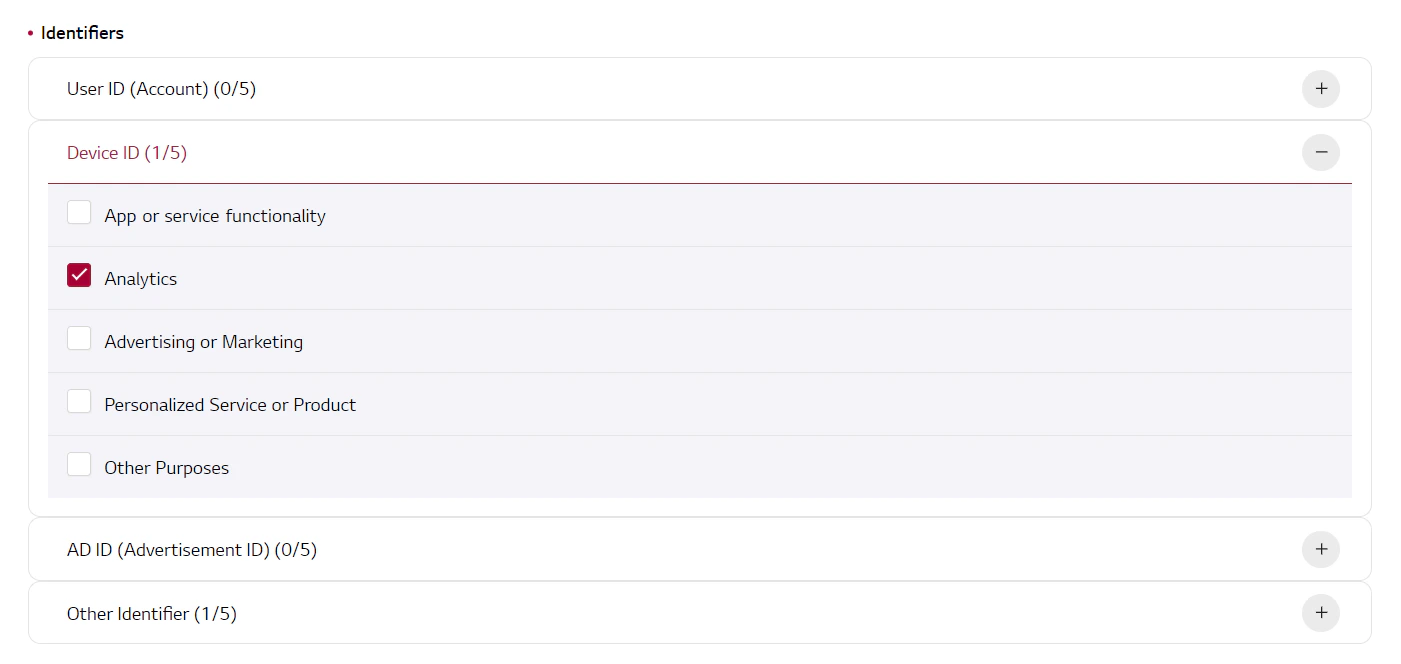
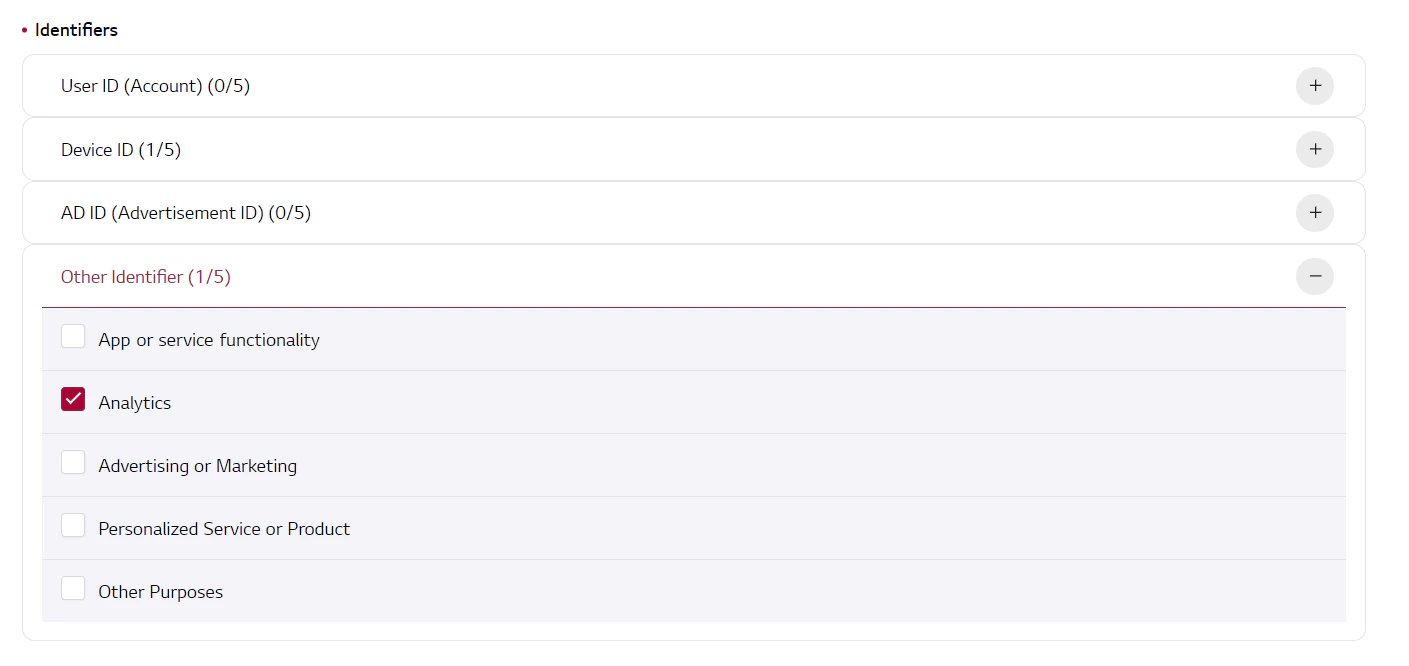
- Other Identifier → Analytics
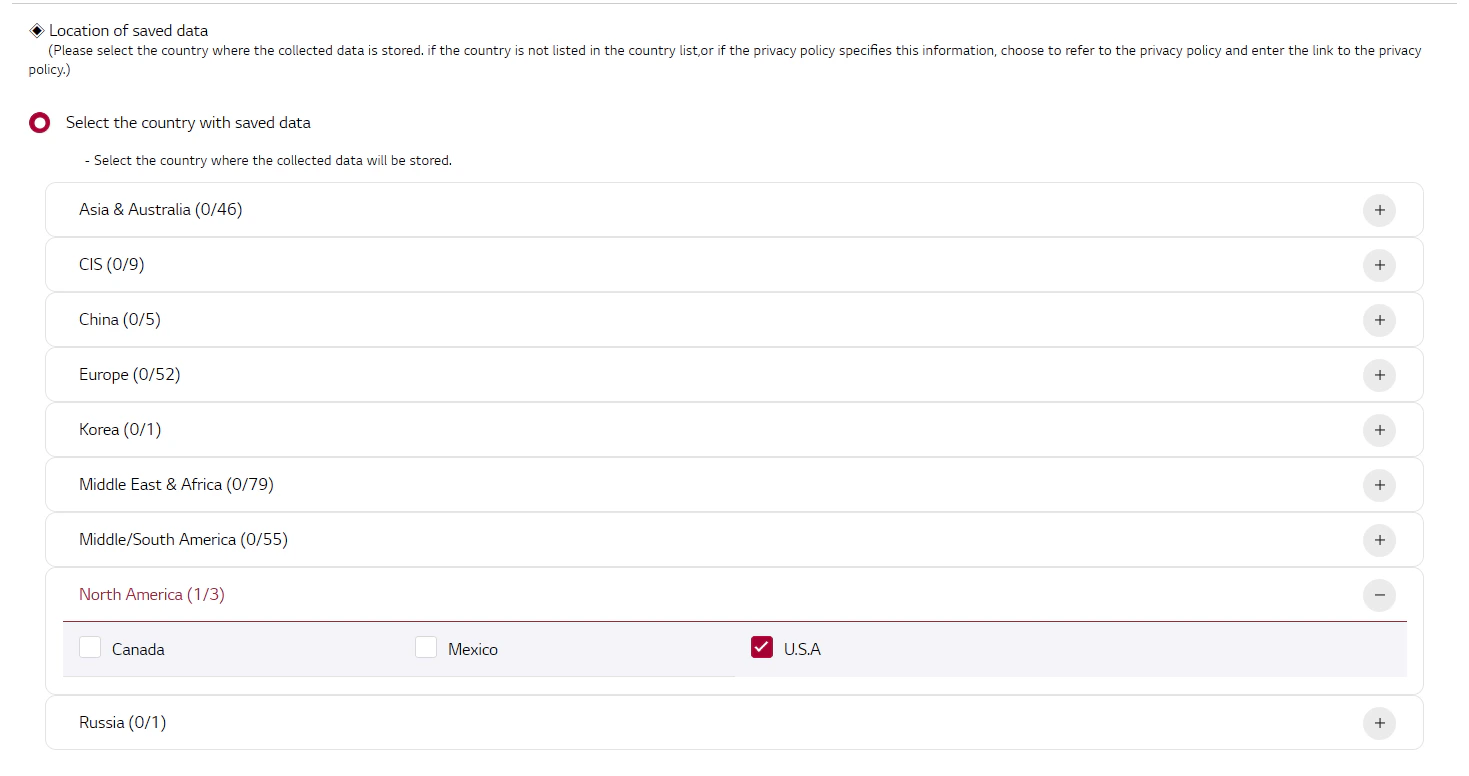
- Location of saved data (Please select the country where the collected data is stored. if the country is not listed in the country list, or if the privacy policy specifies this information, choose to refer to the privacy policy and enter the link to the privacy policy.) Select the country with saved data → North America → U.S.A
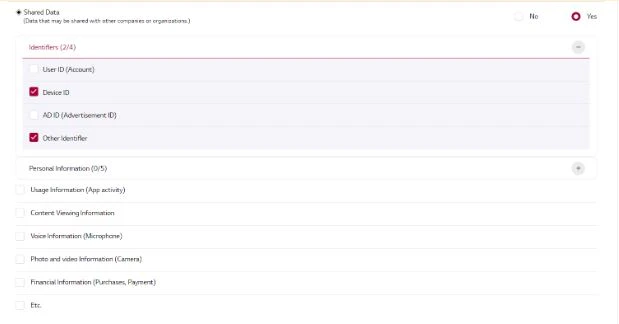
- Shared Data Identifiers: Device ID & Other Identifier
Does the LG-WebOS comply with LG's rules and restrictions?
Does the LG-WebOS comply with LG's rules and restrictions?
Which WebOS versions are supported by Bright SDK?
Which WebOS versions are supported by Bright SDK?
Am I being paid even if my WebOS App is not being used?
Am I being paid even if my WebOS App is not being used?
Will my app generate money even while the TV is turned off?
Will my app generate money even while the TV is turned off?
Will the WebOS SDK continue working if the user updates their TV's operating system?
Will the WebOS SDK continue working if the user updates their TV's operating system?
Will the LG-WebOS SDK interfere with watching TV or using other apps?
Will the LG-WebOS SDK interfere with watching TV or using other apps?
How do I implement the LG-WebOS SDK?
How do I implement the LG-WebOS SDK?
Are there any geo-restrictions?
Are there any geo-restrictions?
Can I see live examples of LG-webOS SDK implementations on the app store?
Can I see live examples of LG-webOS SDK implementations on the app store?
How do I find out the WebOS version on my LG?
How do I find out the WebOS version on my LG?
Can I see some examples of real WebOS apps implementation?
Can I see some examples of real WebOS apps implementation?
My dashboard shows 0 active devices even though users opted in. Why?
My dashboard shows 0 active devices even though users opted in. Why?
How to obtain BrightSDK API Key?
How to obtain BrightSDK API Key?
- Open API Keys
Log in to the BrightSDK Control Panel - this links directly to the API keys section.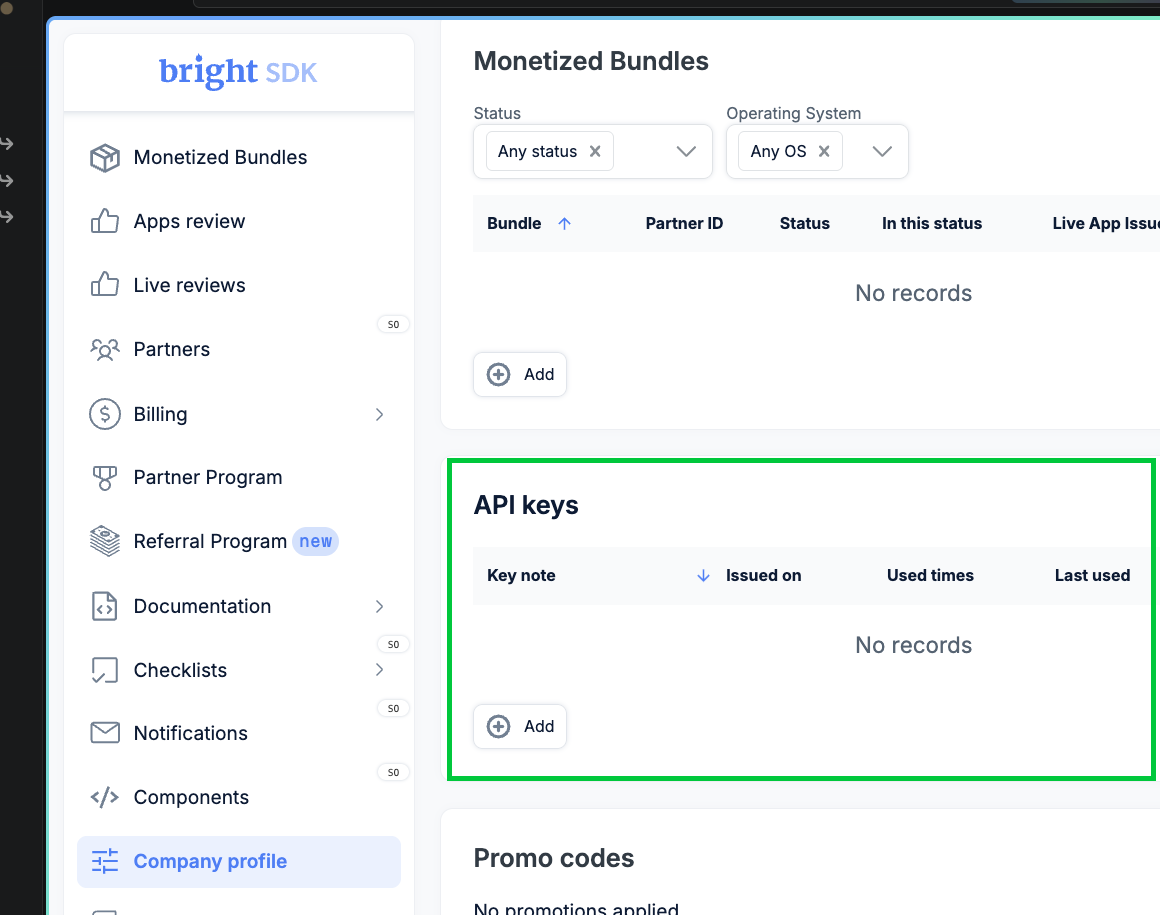
- Create a new key
Click + Add. Choose an expiration (e.g. One year), give the key a descriptive name, then click Generate key.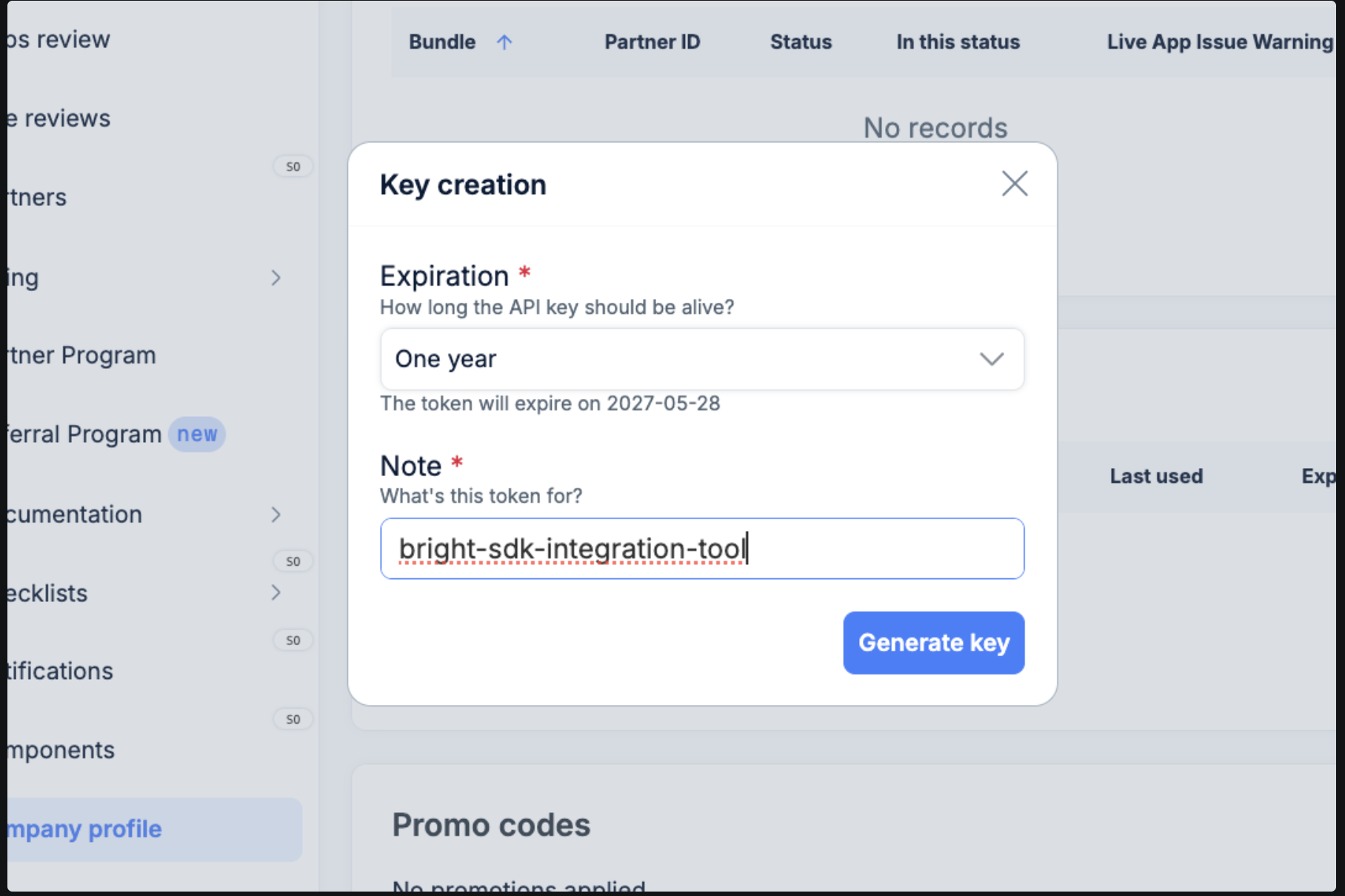
- Copy your key
The generated key is shown once only - copy it immediately.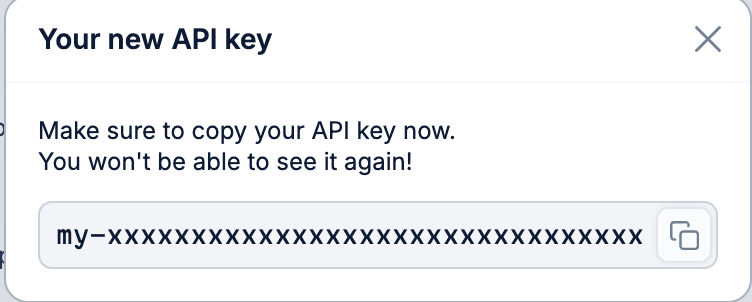
- Set the environment variable macOS / Linux - export in your shell:
To persist across sessions:Windows (PowerShell) - set for the current session:To persist for your user (survives reboots):Windows (CMD) - set for the current session:To persist for your user (survives reboots):