
How do I implement the Samsung TV SDK?
How do I implement the Samsung TV SDK?
Here is a link to our implementation guide.
Which Samsung versions are supported?
Which Samsung versions are supported?
Our SDK works well on TV models with Tizen 6.5 and above, and emulator with Tizen 7. It could work on previous versions, but that is yet to be validated.
I have many apps on Samsung TV. Which ones will generate the highest revenue for me?
I have many apps on Samsung TV. Which ones will generate the highest revenue for me?
First, you are more than welcome to implement the Bright SDK in all of them.For revenue prioritization purposes, we suggest implementing the Bright SDK for Samsung on apps that have users in the highest paying countries and/or have the best retention so you can maximize your revenue.
Does the Bright SDK comply with Samsung's rules and restrictions?
Does the Bright SDK comply with Samsung's rules and restrictions?
Yes, of course.Samsung reviews and approves each app.Remember: we never collect any user information and allow option-out at any time.
Will the Samsung Tizen SDK interfere with watching TV or using other apps?
Will the Samsung Tizen SDK interfere with watching TV or using other apps?
No, it will run in the background.
Will my app generate money even while the Samsung TV is turned off?
Will my app generate money even while the Samsung TV is turned off?
No.
Should my application have sound in it?
Should my application have sound in it?
While recommended to include sound in your app, it is not mandatory.We do recommend that in case the app does not include sound, you specify it when submitting for Samsung’s review.
Multiple apps with different SDK versions on the same Samsung/Tizen TV cause conflicts. Is that a known issue?
Multiple apps with different SDK versions on the same Samsung/Tizen TV cause conflicts. Is that a known issue?
Yes, this is a known limitation being worked on. Apps using very different SDK versions on the same device can cause initialization failures.Update to the latest SDK version to minimize this.
My dashboard shows 0 active devices even though users opted in. Why?
My dashboard shows 0 active devices even though users opted in. Why?
The app needs to pass the self-check and Bright Data review before devices start counting. Also check that the app status is set to “Active/Approved” in the dashboard.
How to obtain BrightSDK API Key?
How to obtain BrightSDK API Key?
The BrightSDK tools authenticate with the releases API using an API key. Follow these steps to create one.
- Open API Keys
Log in to the BrightSDK Control Panel - this links directly to the API keys section.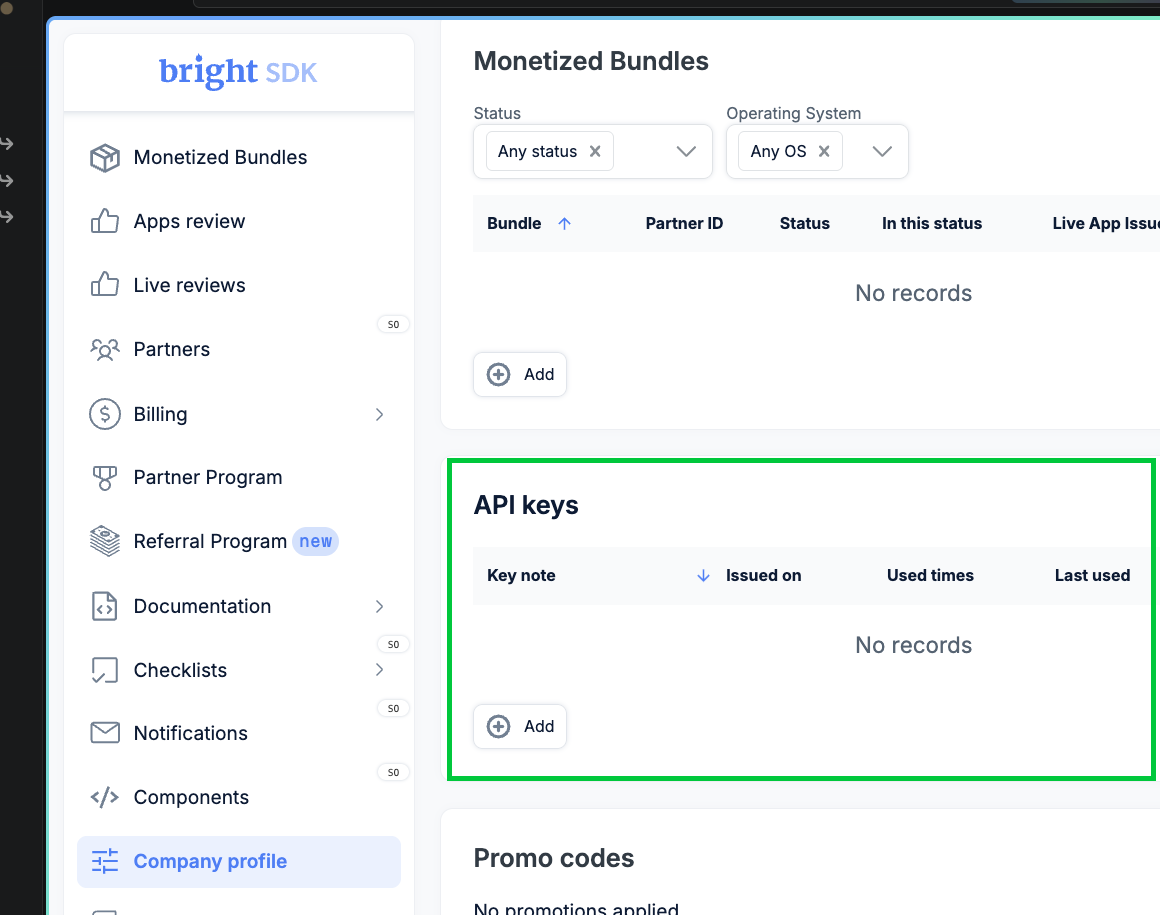
- Create a new key
Click + Add. Choose an expiration (e.g. One year), give the key a descriptive name, then click Generate key.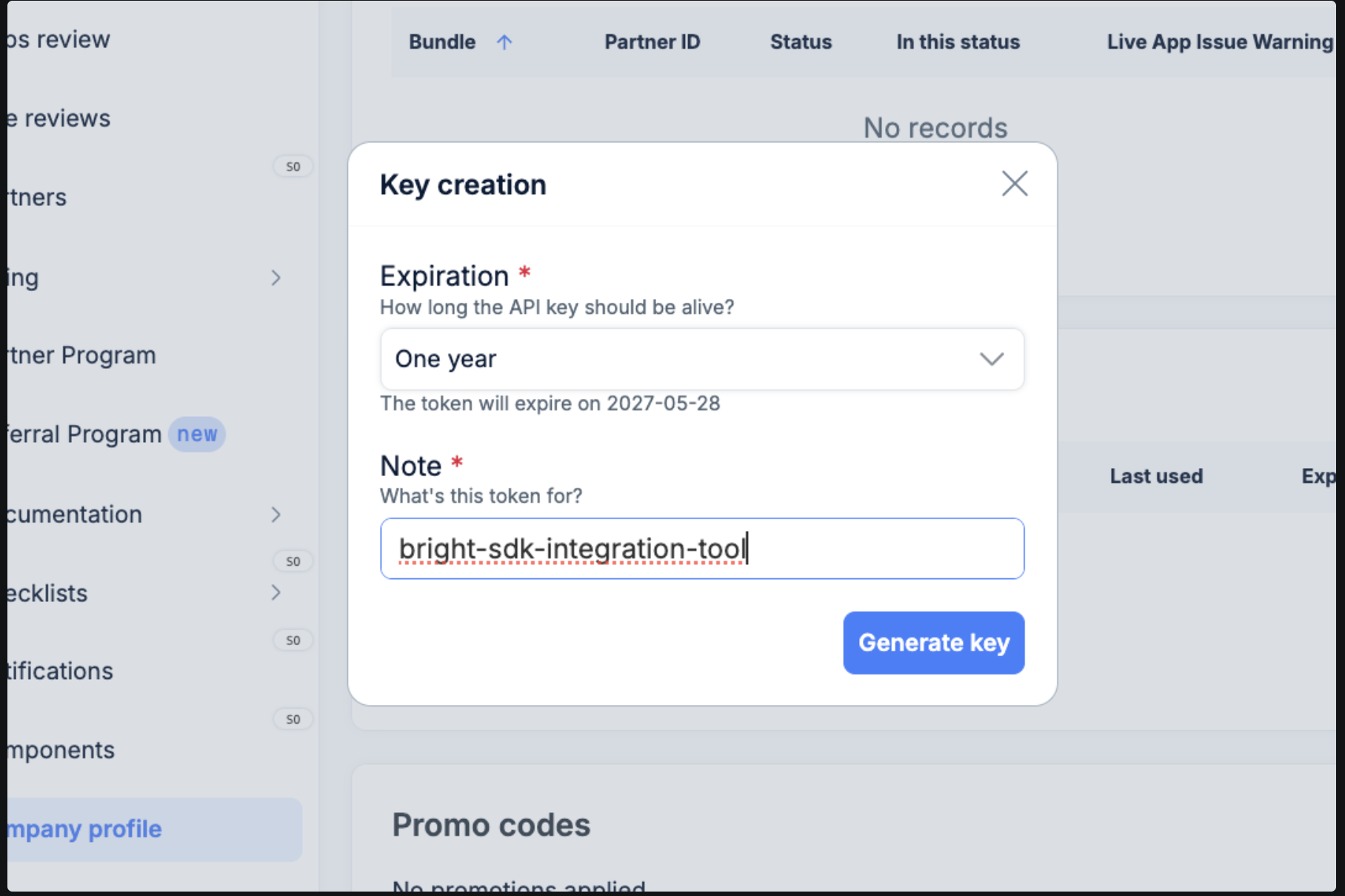
- Copy your key
The generated key is shown once only - copy it immediately.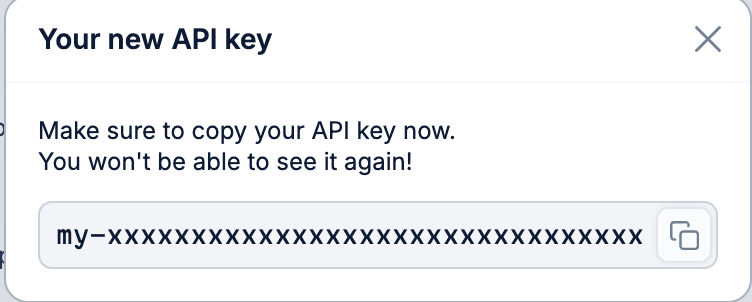
- Set the environment variable
macOS / Linux - export in your shell:
To persist across sessions:Windows (PowerShell) - set for the current session:To persist for your user (survives reboots):Windows (CMD) - set for the current session:To persist for your user (survives reboots):