
How can I check that my implementation works well?
How can I check that my implementation works well?
After completing implementation of Bright SDK, the first thing you should do is run our implementation self check. In a matter of a few minutes, following some simple instructions, you will be able to know that the basic elements of the SDK function well: showing the consent screen correctly, opt-in and out, connecting to Bright SDK network. If any error is identified, you will know what to fix without submitting to our compliance review, and save precious time.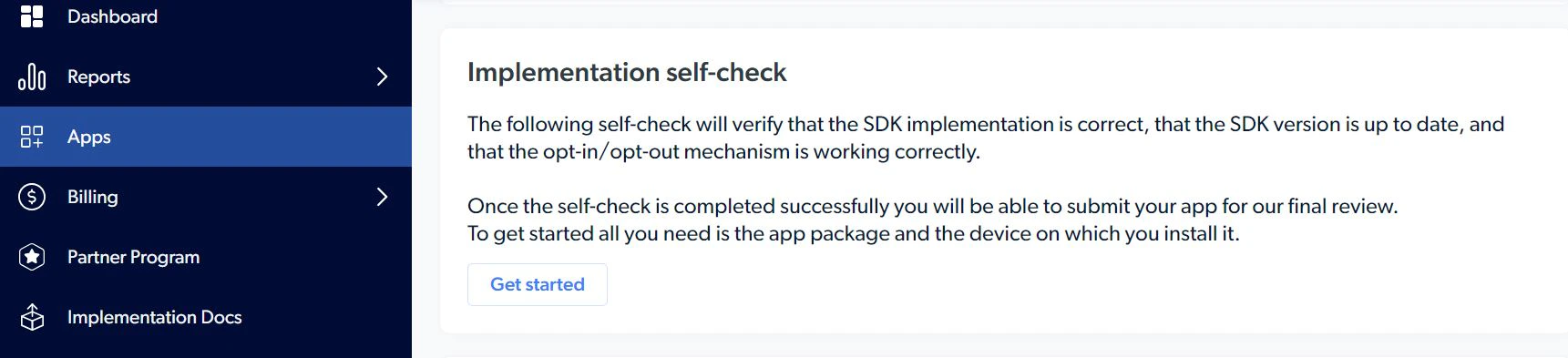
- Please note that when submitting new version of live apps for another review, there is no need to run through the self check. Simply click on “submit a new version” in the app page.
Is app review by Bright SDK mandatory?
Is app review by Bright SDK mandatory?
Yes, every app that integrates Bright SDK must be reviewed and approved by our compliance team before it is publicly distributed.Active devices from apps that were not reviewed and approved - cannot be used for web indexing, and as such, will not be paid for.Please note that part of our review, in addition to validation of technical integration and legal manners, is to suggest ways to improve conversion, and eventually partner’s revenue.
Does Bright Data review my app after implementation?
Does Bright Data review my app after implementation?
Bright Data reviews BrightSDK implementation after initial release and regularly thereafter.
Your account will be terminated if you violate the SDK implementation guidelines.
Your account will be terminated if you violate the SDK implementation guidelines.
What should I do after completing the SDK integration?
What should I do after completing the SDK integration?
The final part of integration is to submit your app for our compliance review. Our integration guides include detailed explanations on how to do it (per each OS). The entire review process- submission and feedback- is managed in our dashboard, and email notifications will be sent with every update, to the account main email address.
Do I need to let you know once I update my app?
Do I need to let you know once I update my app?
- If the update contains changes that are only relevant to the app’s look and feel, game flow, design, etc. – there is no need to update Bright SDK or to pass any additional review. You are free to share the update, but we probably will not review it.
- If the only change was updating Bright SDK version, you can also skip our review, since the SDK already passed our QA.
- If the update contains any kind of change around the implementation of Bright SDK, you must upload a new version for review and release it only following approval from the Bright SDK team. Examples of changes are: modifications to consent screen’s content, modifying the opt-out screen, changing the value to the user, showing the consent screen in different parts of the app etc. The reason for this requirement is to maintain compliance and ensure we keep our transparency level with the users.
- Please note that when submitting live apps for another review, there is no need to run through the self check. Simply click on “submit a new version” in the app page.
What is the size of the SDK?
What is the size of the SDK?
It’s hard to know exactly how many MB will be added to your app’s size on the AppStore. The short answer is somewhere between 5MB and 10MB. The exact extra size is hard to predict because Xcode/App Store might use some optimizations when the app is complied.